Google Indexing
Submit pages to Google automatically or by hand
Written By David
Last updated 3 days ago
Once you’re connected to Google Search Console, Cromojo can start getting your pages indexed by Google. You can let it run automatically, or pick pages to submit yourself.
Where to find it
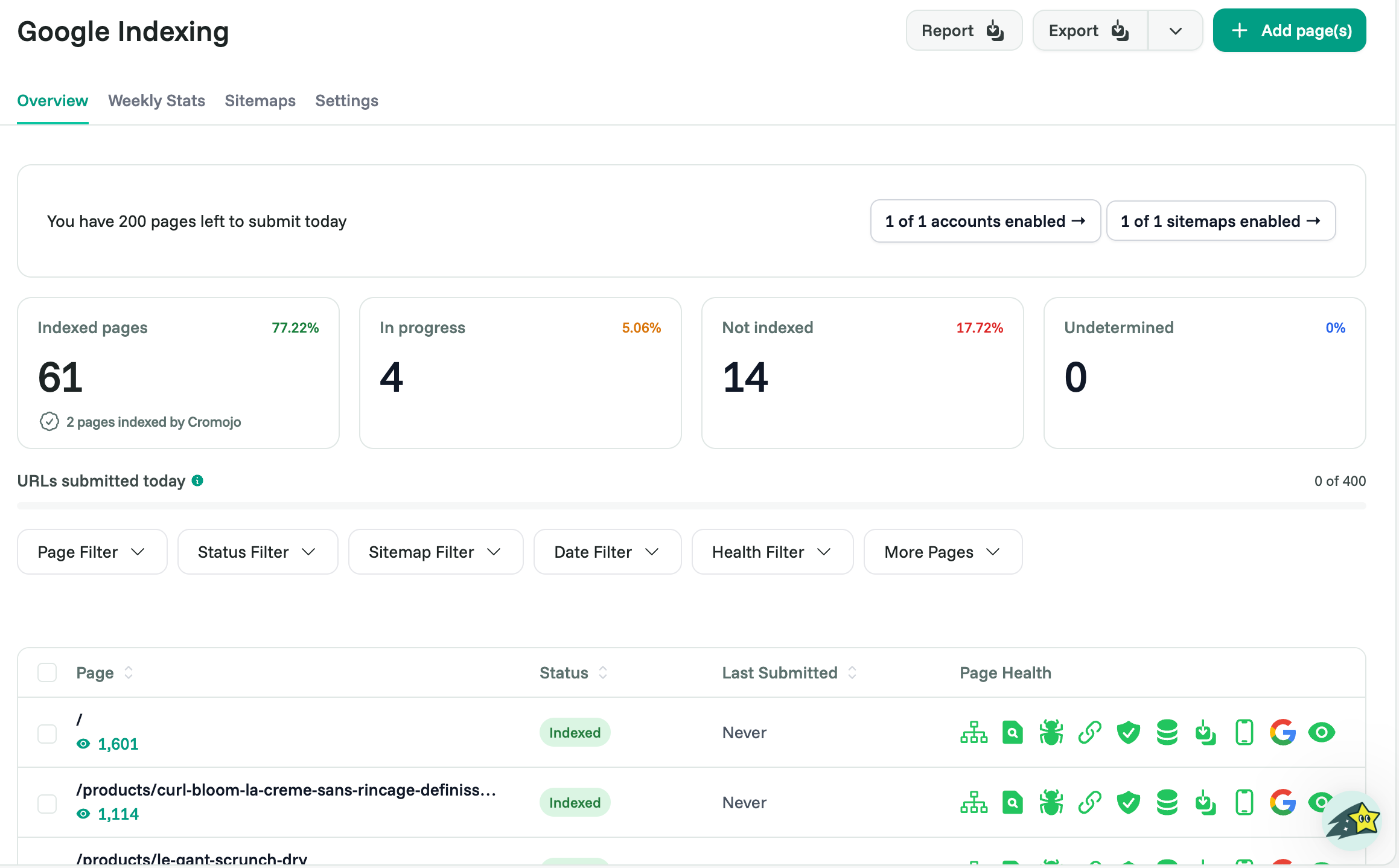
Google Indexing has five tabs: Overview, Weekly Stats, Sitemaps, Reports and Settings. New here? Follow the Set up Indexing checklist that opens when you turn Indexing on.
What you’ll see
At the top, a snapshot of your pages: how many are Indexed, In Progress, Not Indexed, or Undetermined. Below, a table of every page with its status, when it was last submitted, and its page health.
Auto-index vs. manual
You choose how pages get submitted:
Off: only pages you pick are submitted.
Smart (Not indexed only): Cromojo automatically submits pages Google reports as not indexed.
Aggressive (All unconfirmed & not indexed pages): also submits pages Google hasn't confirmed yet.
Manual: select pages and click Index Selected, or paste up to 100 URLs.
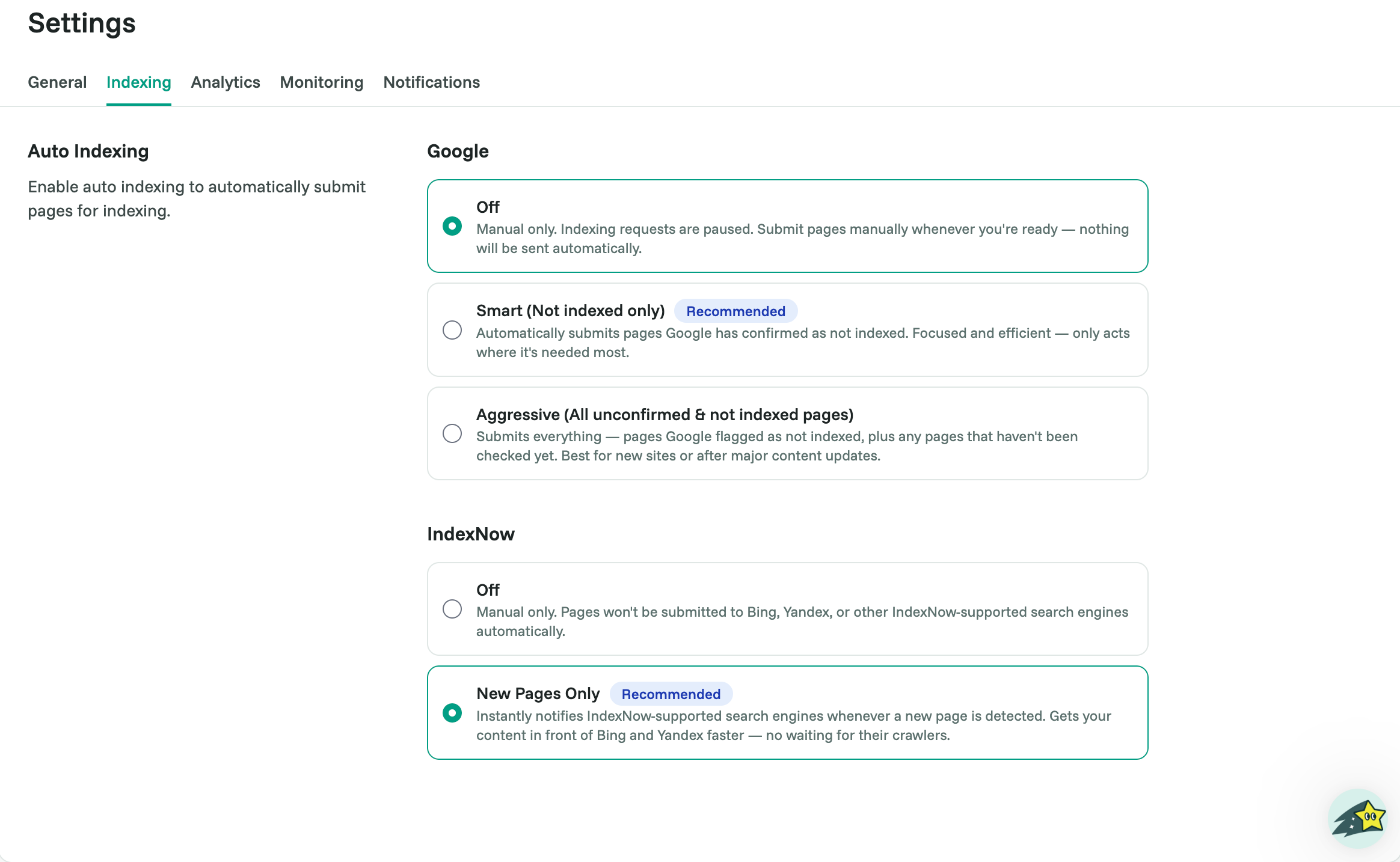
Auto-indexing runs every few hours and needs at least one indexing bot added as an Owner. Daily submissions depend on your plan (Free 10, Starter 300, Pro 600, Business 1,200, Agency 2,400 URLs a day).
Deindexing (Starter and above): select indexed pages and click Deindex Selected to ask Google to remove them.
Sitemaps tab: add a custom sitemap, turn sitemaps on or off, and click Re-check if a sitemap shows an error you've fixed.
Tips for better results
Index quality pages. Thin or duplicate pages won’t index (and shouldn’t), give each page real, useful content.
Watch Page Health for technical issues that block indexing.
Check Weekly Stats to see the crawl and inspection work Cromojo is doing for you.
Related articles
Was this helpful?
Still need help? Ask the team