Building Conversion Funnels
See where visitors drop off
Written By David
Last updated 2 days ago
Funnels per site: Starter 3, Pro and above unlimited (not available on Free).
Conversion funnels let you visualize the steps visitors take toward a goal, like a purchase, so you can spot where they drop off and lift your conversion rate.
What you can do with funnels
Step-by-step drop-off: see how many visitors make it from one step to the next.
Overall conversion rate: the percentage who complete the whole journey.
Date comparisons: filter by period to see whether your changes are working.
Any step type: each step can be a page visit or a custom event.
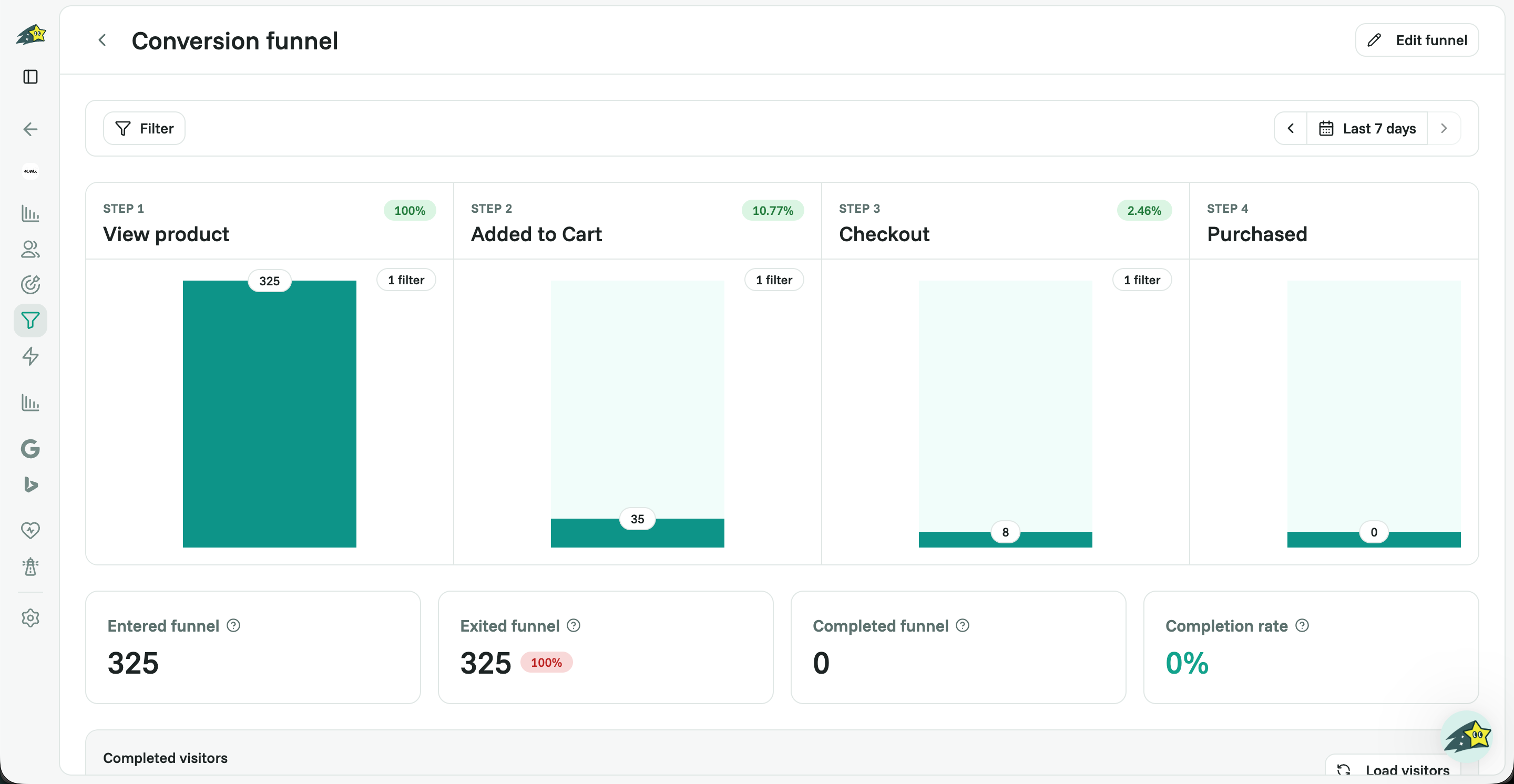
Reading a funnel at a glance tells you where to focus, for example, a big fall between Add to cart and Checkout usually points to friction on the cart page.
Example: an e-commerce purchase funnel
A classic store funnel follows the buyer’s journey: view product → add to cart → begin checkout → purchase.
Step 1: Track your events first
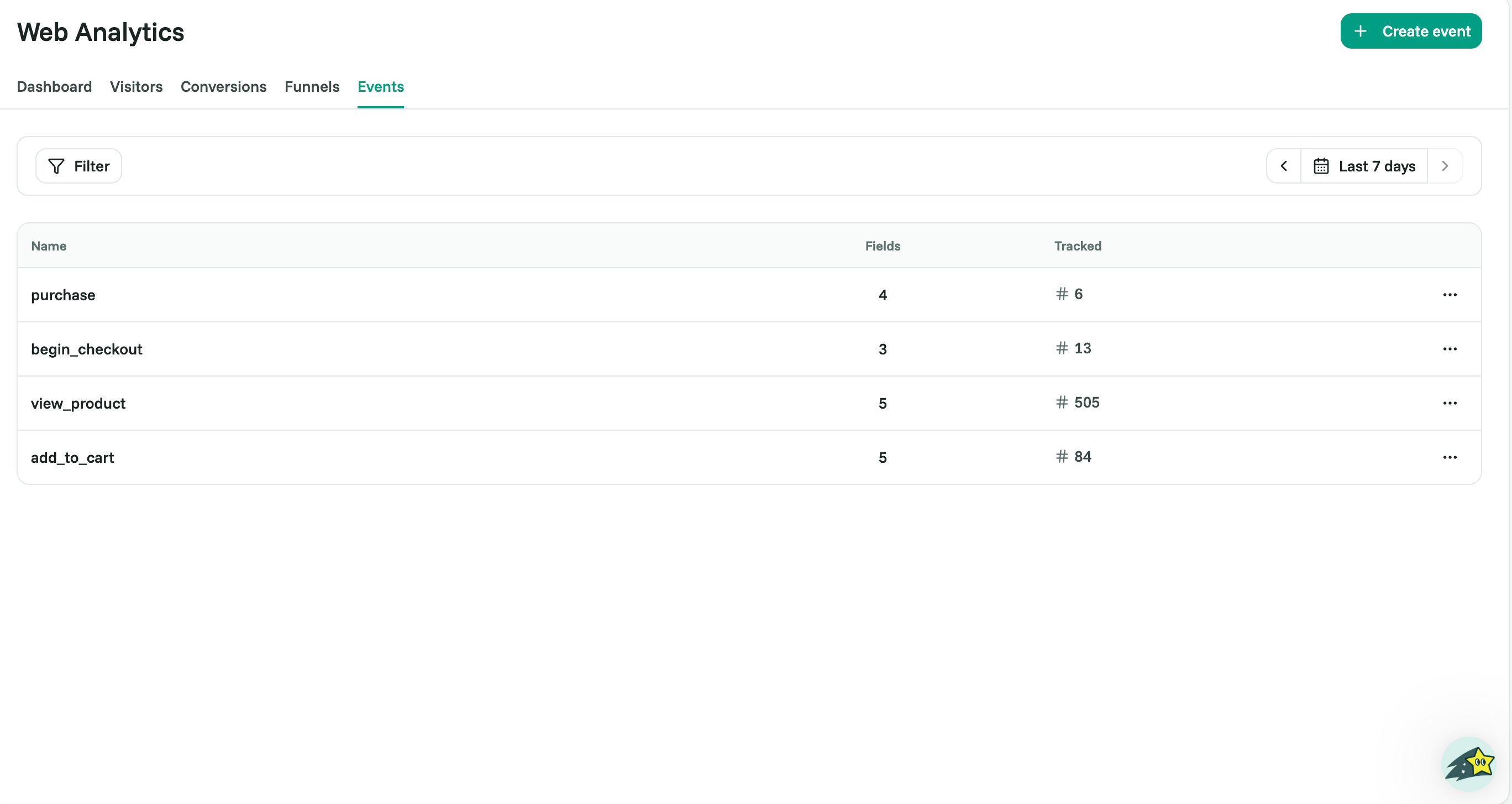
Funnel steps are built from events, so make sure the key actions are tracked before you start (see Creating & Tracking Custom Events). For this funnel you’ll want view_product, add_to_cart, begin_checkout, and purchase.
On Shopify, add the thank-you page pixel from 'Install on Shopify', or the purchase step will show 0.
Step 2: Create the funnel
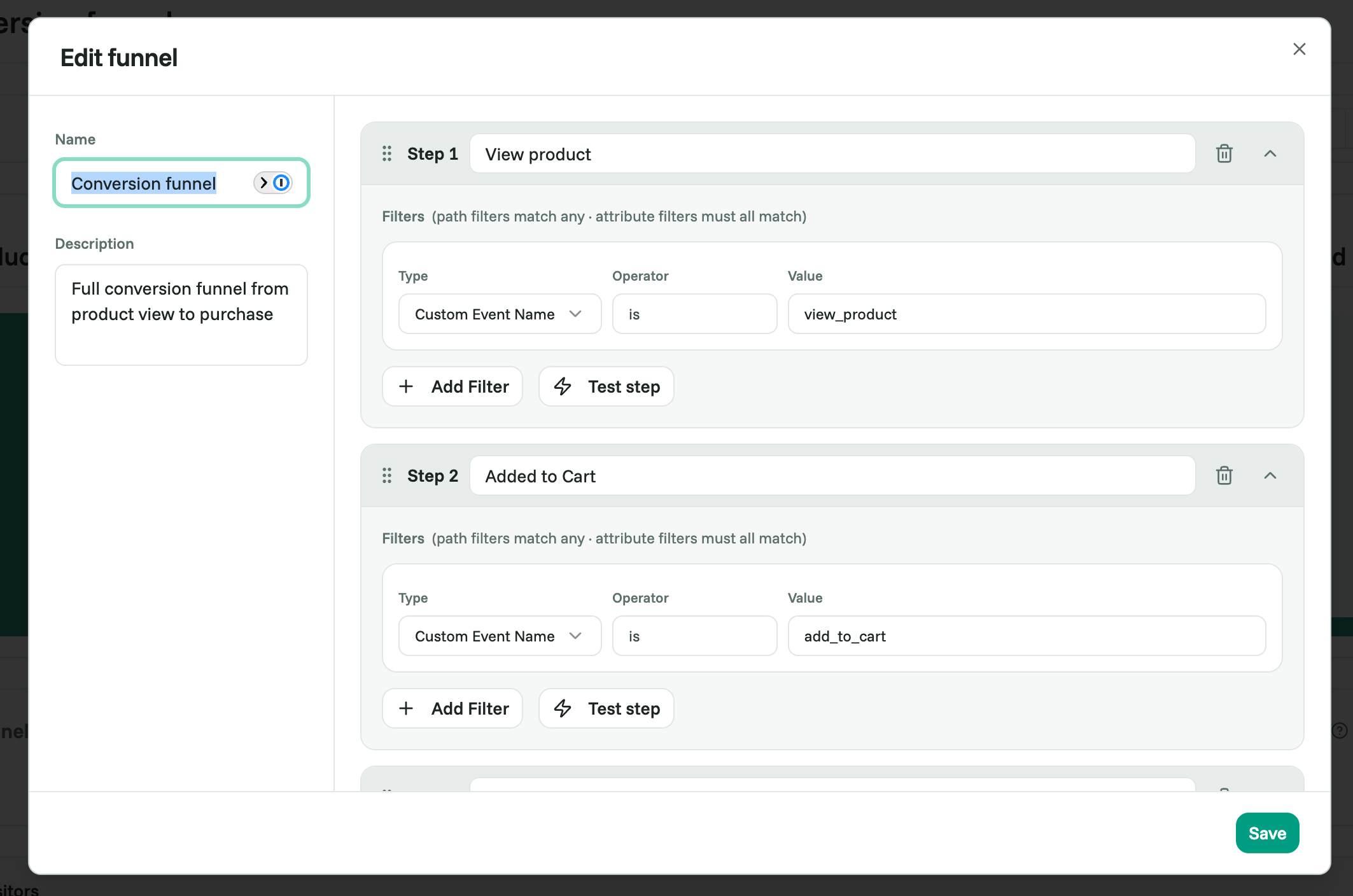
Open the Funnels tab and click Add funnel.
Name it (for example, Purchase journey) and add a short description.
Add your steps in order, each step is a page visit or a custom event.
Click Save.
Step 3: Read the results
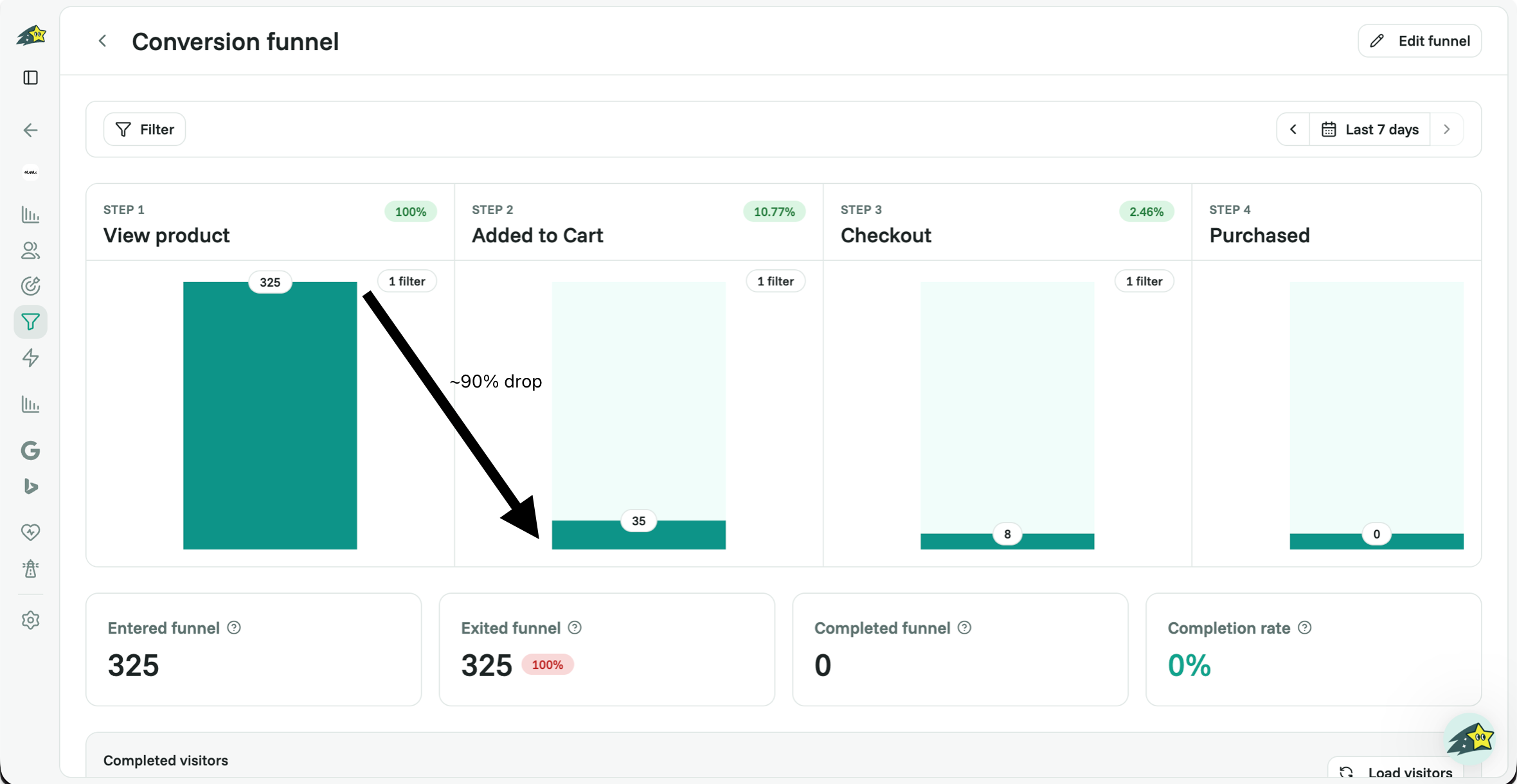
Cromojo shows the conversion rate through the whole funnel and the drop-off at each step. The biggest drop is where optimizing pays off most, so fix that step first. Use the date filter to compare periods after each change.
Best practices
Start simple: 2 to 3 key steps, then add detail.
Name steps clearly so the data is easy to read.
Use events, not just page views, for the actions that matter.
Fix the biggest drop-off first, that's where the gains are.
Compare over time with the date filter after each change.
Related articles
Need a hand building your first funnel? Email support@cromojo.com.
Was this helpful?
Still need help? Ask the team