Changelog

Follow new updates and improvements to Cromojo.

New pricing: simpler plans, and a shift in what we're building
Hey Cromojers,

We've changed how CROMOJO is priced, and we want to explain why rather than just drop a new page on you.

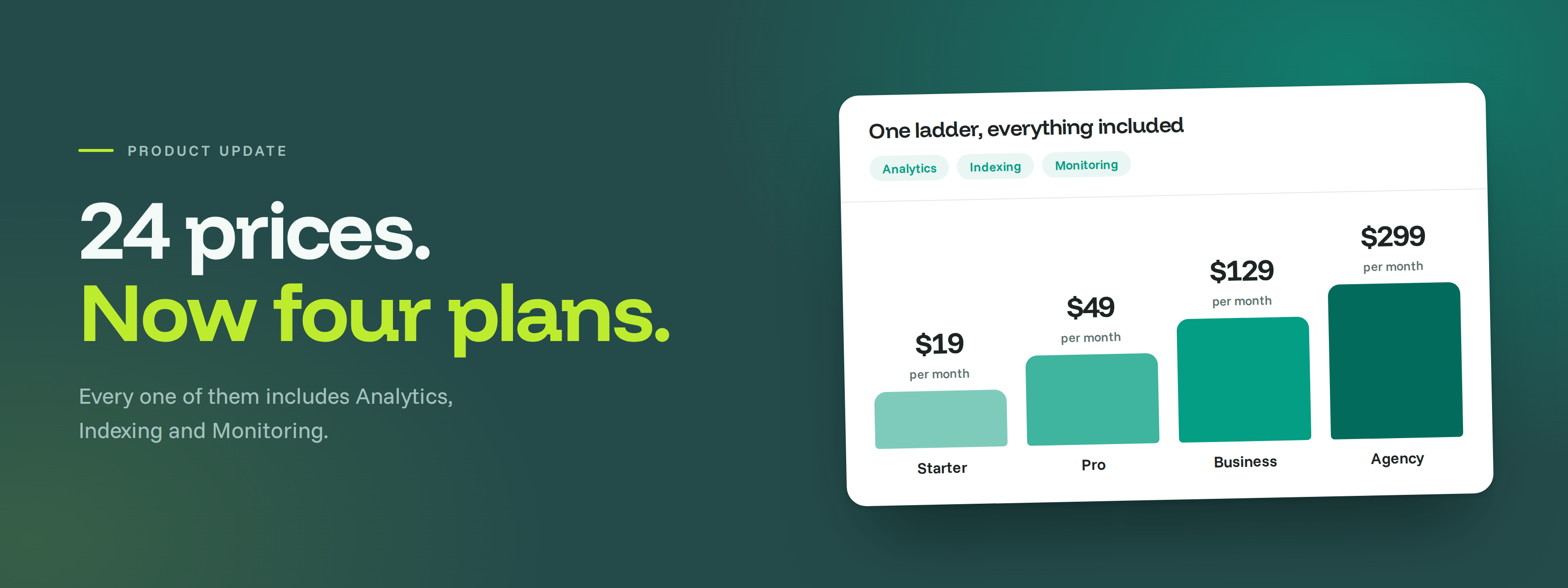
When we built the old pricing, we were trying to give you flexibility: buy Analytics, Indexing and Monitoring separately, pick a tier for each, choose your billing period. On paper that's freedom. In practice it meant 24 different prices and a decision tree you had to work through before you'd even tried the product. Several of you told us it was confusing, and you were right. Flexibility that nobody can navigate isn't flexibility.

So there's now one ladder of plans, and every paid plan includes all three modules.

Before anything else, the important part: if you're already paying us, you've been moved up to a bigger plan automatically, you've lost nothing, and your price stays exactly where it is for the next 12 months. Details at the bottom.

🎯 Why everything is included now

The bigger reason is that what we're building has changed. We started as a tracker: numbers, charts, KPIs. That's table stakes now, and knowing your numbers isn't the same as knowing what to do about them.

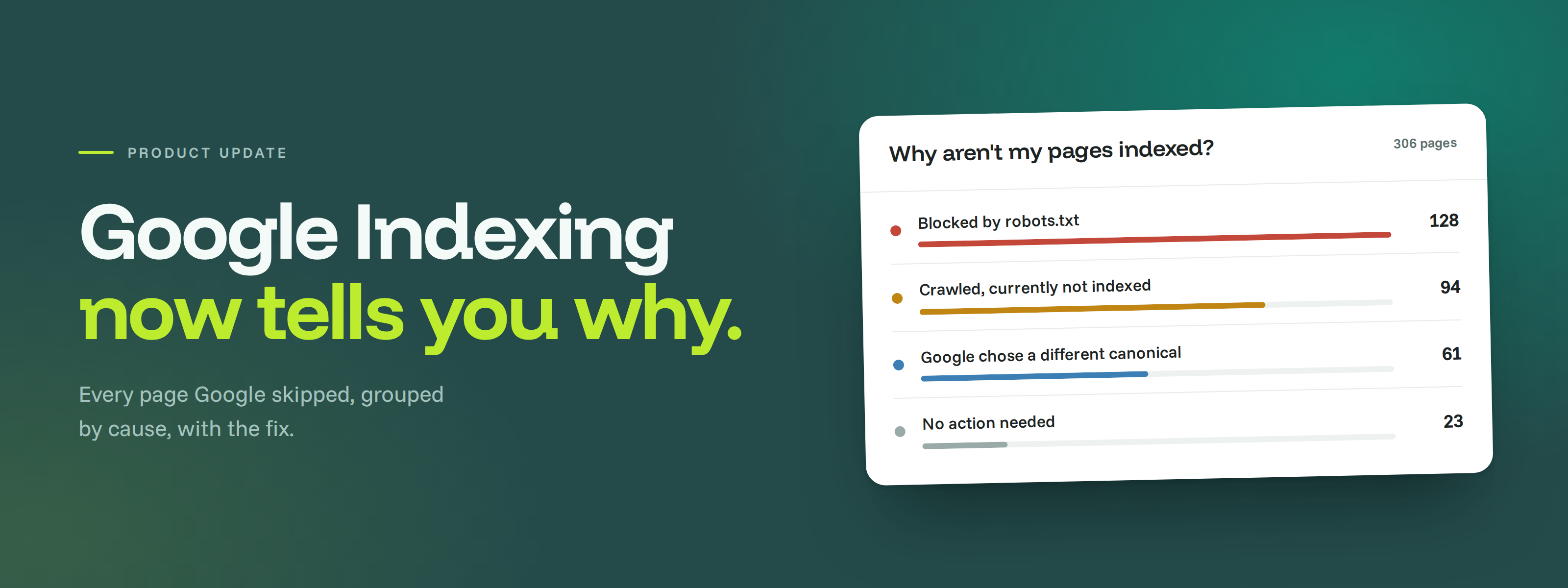
Where we're taking CROMOJO is toward telling you what's actually wrong and how to fix it. The Google Indexing rebuild we shipped is the first real piece of that: instead of showing you a list of pages Google skipped, it now groups them by cause and tells you, page by page, what to change.

That kind of recommendation only works when we can see the whole picture. A page can be slow, un-indexed and losing you revenue at the same time, and we can't join those dots if you only bought one of the three modules. Bundling isn't a packaging trick here, it's what makes the advice possible.

✨ A free plan, no card required

You can now run core Analytics and Google Indexing on one site without paying anything: 10K monthly impressions, 25 URLs a day, one service account, 12 months of data retention. Monitoring isn't part of Free.

Every plan includes Analytics, Indexing and Monitoring, so you're choosing a size rather than assembling a bundle. Two other things scale with your plan: the daily indexing quota (300, 600, 1,200 and 2,400 URLs) and the number of pages tracked for performance (100, 400, 1,500 and 6,000).

📊 Overage you have to switch on yourself

From Pro upward you can go past your included impressions at $0.10 per 1,000, dropping to $0.05 on Business and $0.03 on Agency. It's off by default, and we won't bill you for overage unless you've explicitly enabled it. On Free and Starter, ingestion simply stops at the limit.

A quick word if you're already a customer

  • You've been moved up to a bigger plan, at your current price. Log in and you'll find the full bundle already switched on, with more sites, more daily URL submissions and more analytics volume than you had. Nothing you have today gets smaller.

  • Your price is locked for 12 months. You keep paying what you pay today until the 13th month, and only then does the new plan's list price apply. You'll hear from us three times before that: at 9 months, at 11 months, and two weeks before the date. Switching to annual billing lowers that price, and you can lock it in at any point during the year.

  • Legacy and AppSumo deals keep their rights. Lifetime deals and older Stripe plans keep their contractual allowances, and a lifetime entitlement stays yours independently of any new subscription.

  • Your Analytics history stays at five years.

Take a look at the new plans on your billing page. If your setup doesn't map cleanly onto one of them, or the maths isn't obvious, just hit reply and we'll work it out with you.

The CROMOJO team
New

Google Indexing: rebuilt, with per-page diagnostics

Hey Cromojers,

If you've ever stared at a list of pages Google hasn't indexed and thought "…but why?", this one's for you. We've rebuilt Google Indexing from the ground up, and answering that question is the whole point of the rebuild.

🔍 Why aren't my pages indexed? Now you know

Right above your stats, a new card groups every un-indexed page by what's actually causing it, ranked by how many pages each problem affects. Click any reason and the table filters down to just those pages. Colour coding tells you who has to act: you, Google, or nobody.

🛠️ Every page now comes with a fix

Open any page and you'll see its indexing status in plain English, what to do about it, and a link straight into Search Console. We map seventeen different causes, from robots.txt blocks and stray noindex tags to soft 404s, redirect loops and canonical conflicts. No more guessing what "Crawled – currently not indexed" was trying to tell you.

📈 Five tabs, and a lot less clicking

Overview, Weekly Stats, Sitemaps, Reports and Settings. Weekly Stats gives you crawl jobs, inspections and pages indexed for the current week plus the four before it. Reports gives your CSV exports their own home and refreshes itself while they generate. And the module is quicker all round: tabs and filters no longer reload the page, and every filter lives in the URL, so you can bookmark a view or send it to a colleague.

⚡ PageSpeed scores, right where you need them

The same per-page panel now shows PageSpeed and Lighthouse scores, so you can weigh speed against indexing status without opening another tab.

Go have a look, it's live on every site with the Indexing module. As always, if something feels off or you want more from it, contact support@cromojo.com.

The CROMOJO team

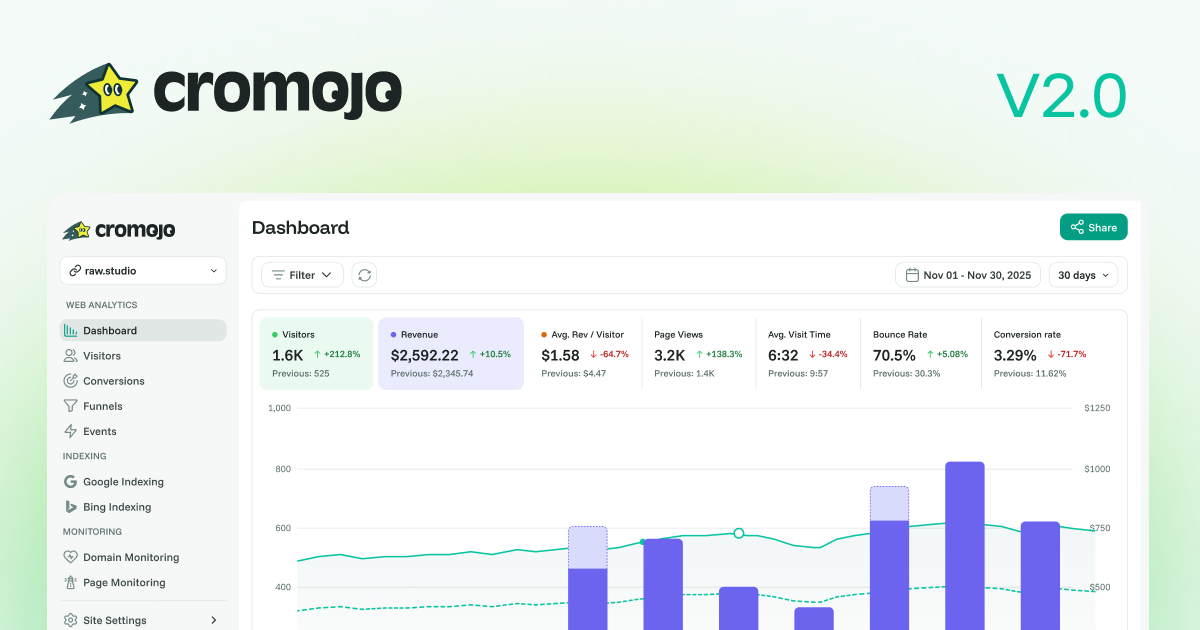
Our Biggest Update - Cromojo 2.0 is here!

Hey Cromojers,

We've been heads-down for months on this one, and today we finally get to share it. Three brand-new features are landing on CROMOJO this week, and honestly, we can't wait for you to get your hands on them.

📊 Next-generation Web Analytics, now fully cookie-free

We rebuilt Analytics from the ground up on our own infrastructure. It's faster, it's 100% cookie-free, and it respects your visitors' privacy automatically (Do-Not-Track included). Cleaner data, zero cookie banners, no compromises.

💰 Revenue Attribution, see what actually makes you money

This is the one we're most excited about. Connect Stripe and Shopify, and CROMOJO shows you exactly which pages and sources drive real revenue, with no cookies and no direct customer data stored. Finally, an answer to "which traffic is actually worth it?"

⚡ Page Performance, find what's slowing you down

Page load speed, Core Web Vitals and on-demand scans, all in one place, so you can spot and fix what's costing you visitors.


A quick word on your Analytics

As part of this, we're moving Analytics onto our new in-house engine, and we're making the switch as easy as possible:

  • For a full month, the old and new versions run side by side, so you can explore the new dashboard with zero pressure and switch when you're ready.

  • When you're set, just drop in the new tracking script [Quick install guide]. It takes a couple of minutes. Your current setup keeps running until then.

  • Want to keep your past data? Your history is fully exportable anytime.


And the best part, pricing

Yes, there's new pricing with this release. But here's the good news: you keep your current rate, and it's the better deal. New pricing only kicks in if you add a brand-new module.

Go play with the new features. We'd genuinely love to hear what you think, so just hit reply.

The CROMOJO team

New

Earlier updates